

Escalator Design Software

DigiPara Escalatordesigner
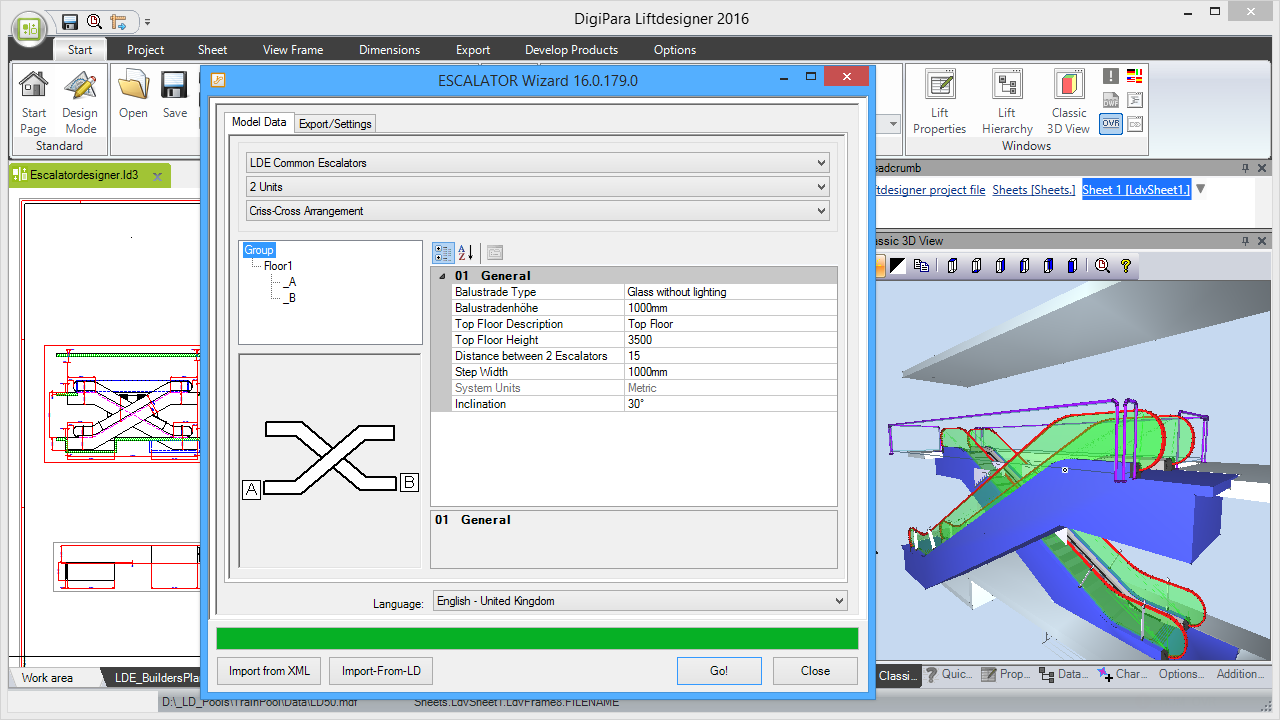
With the help of Escalatordesigner, creating a new escalator drawing becomes a breeze. Simply enter floor level distances and choose the appropriate arrangement to get a full scaled drawing.

Escalators
DigiPara Escalatordesigner supports all common arrangements, types and sizes. Easily adapt them to the given building dimensions.
Common Escalator 3D BIM Library
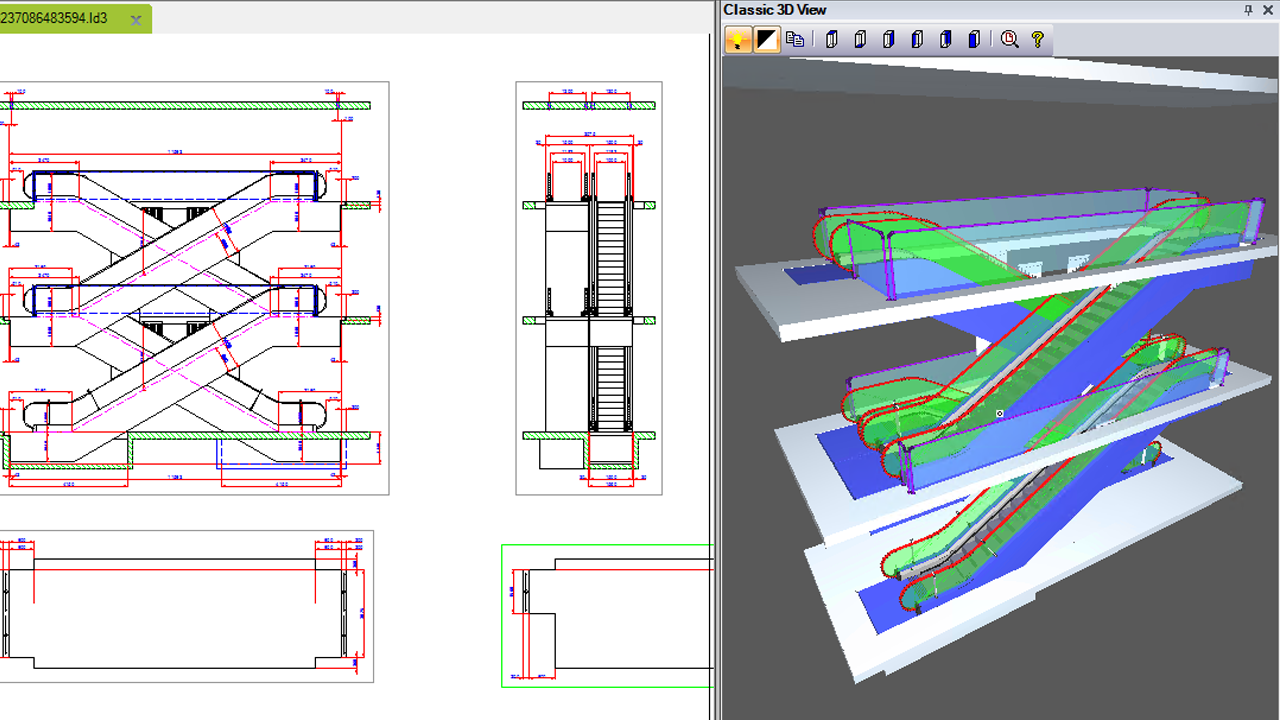
The flexible “Common-Escalator” 3D BIM library helps you build any possible escalator. This is very helpful, if your product or the product of your supplier is not yet available in the 3D BIM library.

Ramps
DigiPara Escalatordesigner supports the drawing of ramps. These are available as custom solutions and are not in the standard product but can be added to it.
Moving Walks
DigiPara Escalatordesigner supports the drawing of horizontal moving walks (0°) and inclined moving walks (10° to 12°). Moving walks are available as custom solutions and are not in the standard DigiPara Escalatordesigner product but can be added to it.

Arrangements
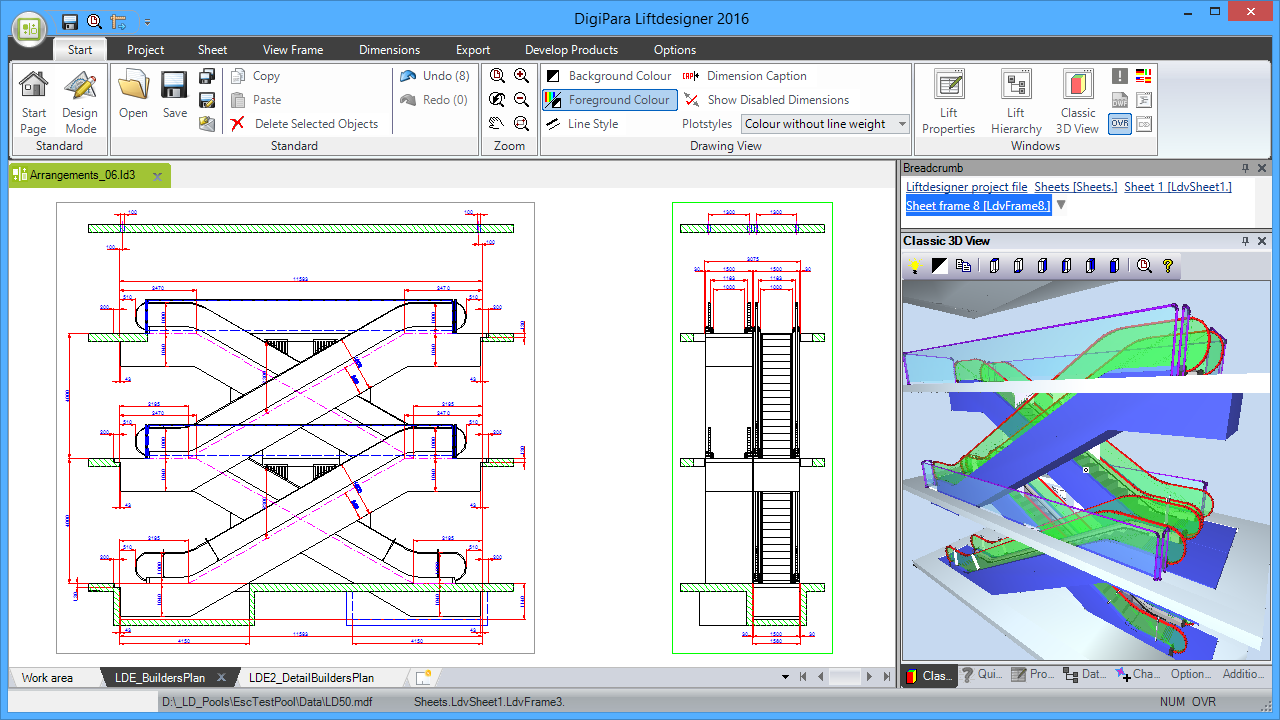
DigiPara Escalatordesigner supports all typical types of arrangements: single, criss-cross, scissor, parallel and continuous arrangements. The drawings are created and show the correct sections for all these types.
Spot Lights
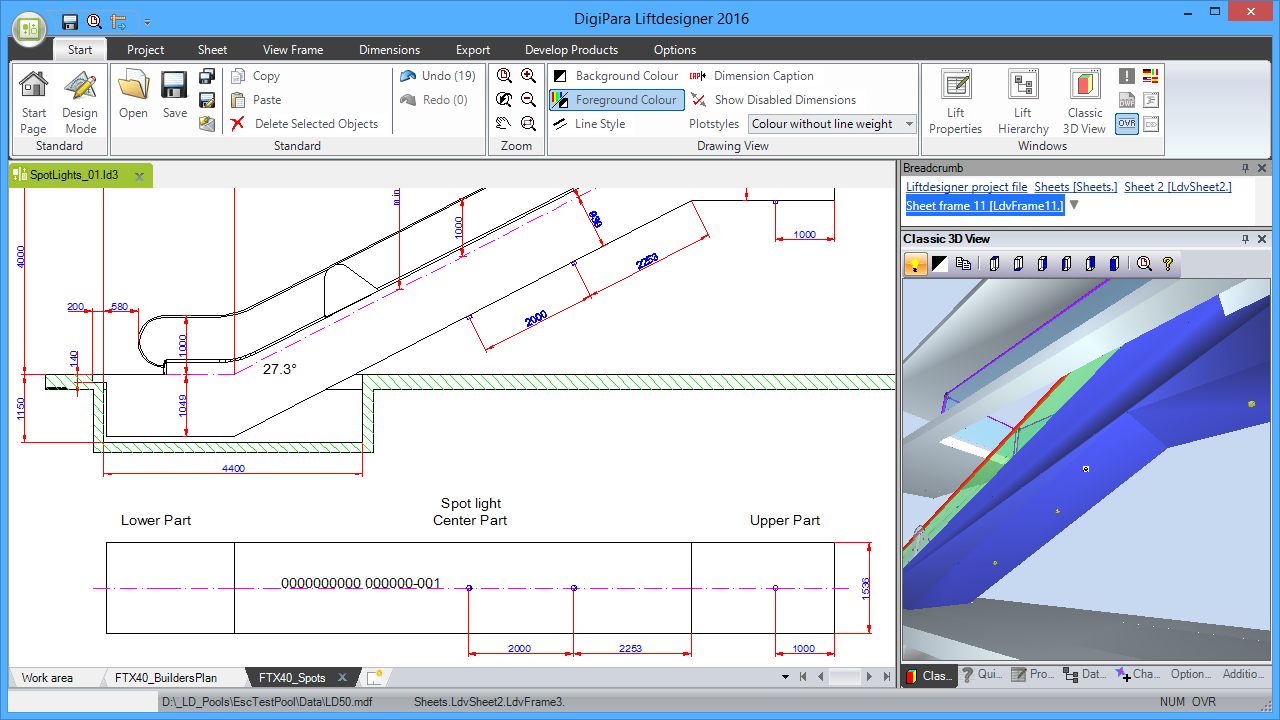
DigiPara Escalatordesigner can show the exact cladding details based on the parameters of your product configurator.
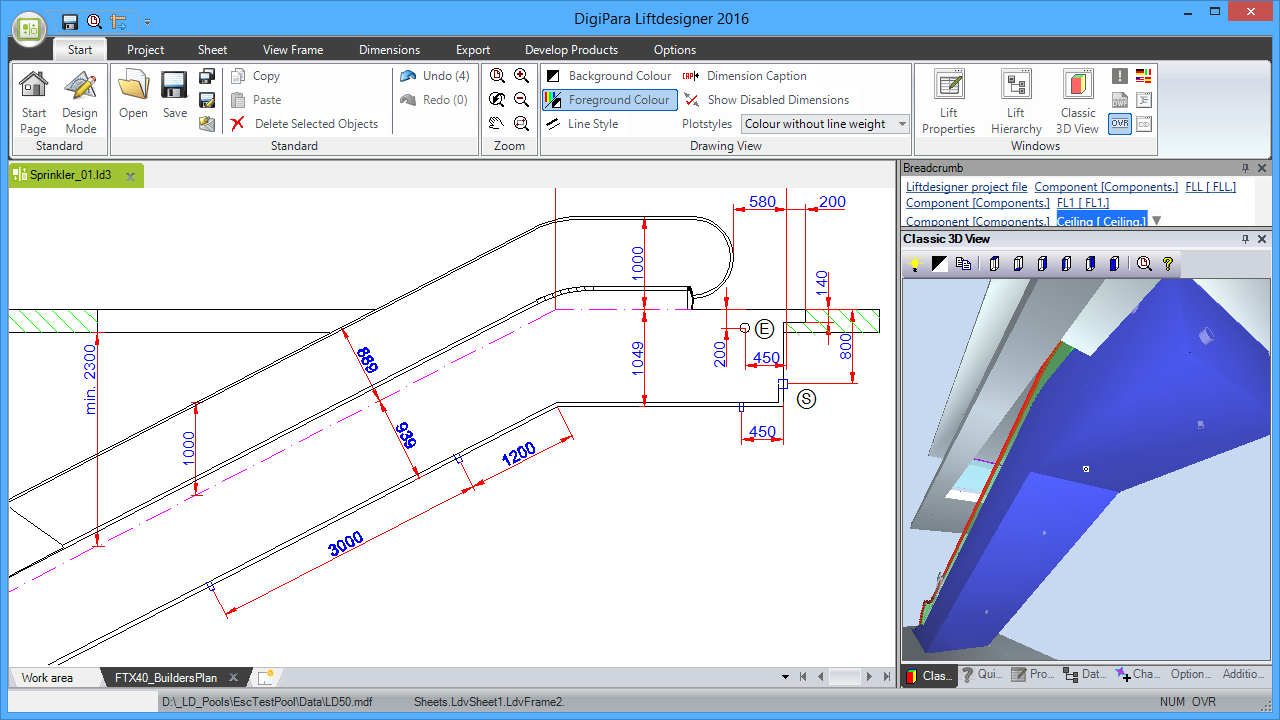
Sprinkler
DigiPara Escalatordesigner can show exact sprinkler details based on the parameters of your product configurator. This feature depends on the custom implementations.
Intermediate Supports
DigiPara Escalatordesigner can show the Intermediate supports of any location. Dimensions on the drawings and the 3D BIM models are created accordingly.
